VSeWSS – Depolyment Gotcha!

So I’m using VSeWSS on a project at the moment and have just discovered something that I should share.

The setup.bat file that is generated to deploy the solution (.wsp) file to your development box is not perfect for use when you’re going to PROD. I’ve just found the first of the short commings.

It’s this line:

echo Deploying solution %PackageName% ...
"%SPAdminTool%" -o deploysolution -name "%PackageName%" -local -allowGacDeployment -url %TargetWebUrl%

The use of the -local argument prevents this solution from propagating out to the other servers in the farm. So no biggie if you’re only running a single front end node, but a headache if you have a multi server environment….

Posted in SharePoint, Visual Studio, VSeWSS | Leave a comment

Composing multiple criteria CAML Queries

OK, so I’ve been writing a pile of CAML queries recently.

Now there is the fantastic U2U CAML Query Builder tool which you can use to write your CAML for you, however I’m from the school of though that I like to know how to do it myself even if I do use the tools, I guess that is where my habit of pulling things apart to see how they work stems from.

Edit: It turns out that the CAML query builder tool doesn’t allow more than 2 criteria.

Anyway. the rules for composite criteria CAML are pretty simple. Essentially you can apply a logical operator to any two criteria and criteria may also be composed of results of logical operations.

So, what does this mean in CAML? Let’s say we want to find items for a given project and student that have been sent.:

<Query>
	<Where>
		<And>
			<And>
				<Eq>
					<FieldRef Name="StudentId" />
					<Value Type="Text">{0}</Value>
				</Eq>
				<Eq>
					<FieldRef Name="ActivityId" />
					<Value Type="Text">{1}</Value>
				</Eq>
			</And>
			<Eq>
				<FieldRef Name="HasBeenSent" />
				<Value Type="Boolean">TRUE</Value>
			</Eq>
		</And>
	</Where>
</Query>

Of course you would replace {0} and {1} with the values that you were seaching for.

Now let’s say that we want the items that either have a Pending status or have been sent for a given student:

<Query>
	<Where>
		<And>
			<Or>
				<Eq>
					<FieldRef Name="HasBeenSent" />
					<Value Type="Boolean">TRUE</Value>
				</Eq>
				<Eq>
					<FieldRef Name="Status" />
					<Value Type="Text">Pending</Value>
				</Eq>
			</Or>
			<Eq>
				<FieldRef Name="StudentId" />
				<Value Type="Text">{0}</Value>
			</Eq>
		</And>
	</Where>
</Query>
Posted in CAML, SharePoint | Leave a comment

SharePoint Conference 2008

My colleagues Chandima and Brendan are currently in Seattle for SPC 2008.

Keep an eye on their blogs for updates!

Posted in General, Intergen, SharePoint | Leave a comment

CAML Query with dynamic date evaluation

Wow, it’s been over a week since ODC2008 and I haven’t posted, how slack of me. It’s been a busy week talking about a lot of the cool things that I saw at ODC and cutting a lot of code.

Anyway I noticed that there is almost no documentation around how to do date based queries in CAML, particularly when you want to use a date that is evaluated at runtime.

The CAML query below show how to find items that have an ImageCreateDate in the last seven days.

<Query>
	<Where>
		<Geq>
			<FieldRef Name="ImageCreateDate" />
			<Value Type="DateTime">
				<Today OffsetDays="-7" />
			</Value>
		</Geq>
	</Where>
</Query>

There you go, easy date math in CAML!

Posted in CAML, SharePoint | Leave a comment

Office Dev Con Day 3

Slow day today.

Attended a session by Dave Marcus from K2 on InfoPath, LoB and SharePoint integration and Business Process Management using the K2 products.

Andrew Connell’s session “Building High Perfomance Solutions on Microsoft Office SharePoint Server 2007” had a large attendance and he discussed techniquies to help ensure that your solutions are scalable and robust.

Time for me to head for the train to get to SFO.

Posted in Office Dev Con, SharePoint | Leave a comment

Office Dev Con: Attendee Party

Wow! That was wild!

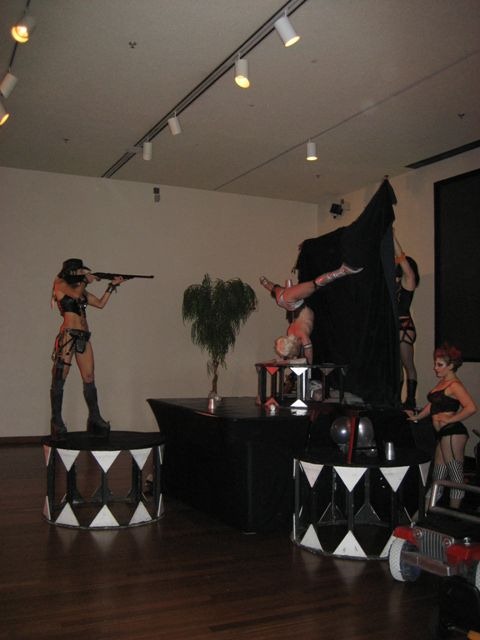
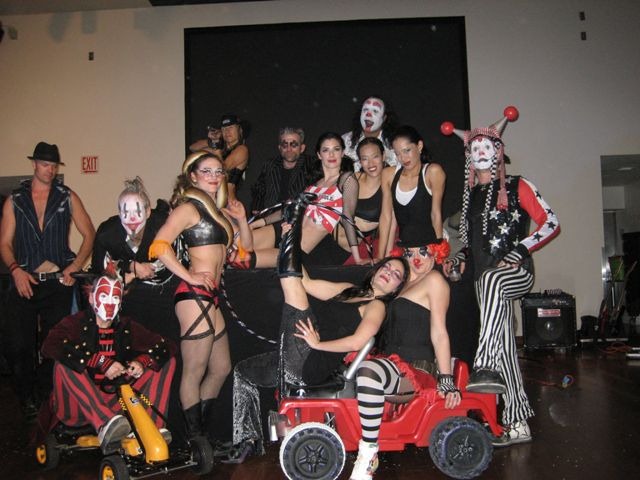
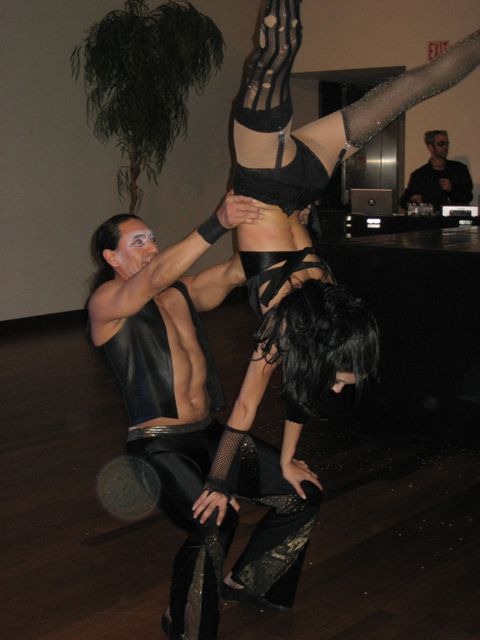
Hosted at the San Jose Tech museum, which was quite interesting for a bunch of tech head geeks. We arrived to be greeted by a lady on stilts and a host of other performers including a number of clowns, dancers and a lady with a snake.

Later on in the night the band kicked off and the dancers started perform…. I have to say that I was surprised at how risqué the performance was. It was rather highly entertaining and I was very impressed by some of the acrobatics and flexibility.

IMG_1315 IMG_1342 IMG_1331

I’ll post up some photos once I’m back in New Zealand.

Posted in Office Dev Con | Leave a comment

Office Dev Con Day 2

There were two keynote speakers this morning.

Rajesh Jha who spoke about the new Office Live Small Business offering, the idea here is to provide a suite of hosted of services that provide WCM, contact management and online sales systems targeted toward small business. Rajesh also announced the free developer licences available via http://dev.officelive.com.

Gurdeep Singh Pall talked about Unified Communications and had some fantastic demos to show how the unified communications framework can improve productivity and add value to customer interactions.

Paul Swider spoke on SOA and MOSS, covering off some of web services that are provided out of the box and how to look at implementing SOA interoperation between MOSS and other applications. The exciting one for me is great potential for leveraging the search web service to provide enterprise search within other applications.

Next I went to a session presented by Alex Malek and Chris Johnson where they showcased the VSeWSS 1.1 that were released today. This version of the extensions provides a large number of bug fixes, new item templates and almost full control of the generated WSP via the WSP builder tab. Apparently the next scheduled release will be v1.2 in June 2008 which will add support for Visual Studio 2008 🙂

Edit: Also available now, the first release of the User Guide for VSeWSS 1.1 in which I am credited as one of the authors 😀 There are quite a few people who are excited that there is good documentation available to support these tool.

-Gavin

Posted in Office Dev Con, SharePoint, Visual Studio | Leave a comment

Office Dev Con Day 1

The first day started out with a Keynote talk from Bill Gates, he spoke very well, as you’d expect of someone of that calibre, he showed his sense of humour well by showing the “Last day at work” video. Bill then went on to talk about how some companies have been leveraging the entire Office stack to create exciting OBAs and had a guy from FedEx come on stage to launch and new FedEx OBA called QuickShip.

QuickShip integrates with Outlook allowing people to automatically create shipping requests using their Outlook contacts and FedEx Web Services. They are also providing offerings for other services that surface in SharePoint via Web Parts and through the Fluent UI, aka Ribbon, in Word.

The next couple of Keynotes from Kurt Delbene and Richard McAniff were loaded with mini demos providing a great taste of what has been achieved and a taste of the new VSTO templates in Visual Studio 2008.

I found the first break out session a bit disappointing really. I went to a session entitled “Microsoft Office SharePoint Designer 2007: It’s for Developers”. The abstract suggested that this session would be focusing on the DataView and DataForm Web Parts, which I’d like to learn more about. However it turned out to be a session how to write a minimal master page. The presenter was good, the content just wasn’t what I was after.

The second session was excellent! Andrew Connell talked about how to apply a solid software development approach to building SharePoint solutions. He gave some great guidance on how to use SPD to help you speed this up when coupled with some custom stsadm commands that he has featured on his blog.

I am now sitting in a session with Brendan Schwartz talking about the CKS EBE, FBA and Enhanced Wiki features which I know that has had some kiwi input care of Zac Smith from Provoke. The extra wiki functionality looks to be excellent and gives the user the ability to define their own wiki tokens and the matching html mark-up.

Posted in Office Dev Con, SharePoint, Visual Studio | Leave a comment

Off to Office Dev Con

I’m just about to leave the office to catch my flight to San Francisco. I’m passing through there on my way to Office Dev Con in San Jose, California 😀

I’ll be updating my blog over the course of the conference to keep you all posted on what I’ve been seeing and what I think looks cool and interesting.

Posted in Uncategorized | Leave a comment

Debug > Start New instance

Ok, so you learn something every day.

Currently I’m working on a project where I have a number of separate component systems. In particular there is suite of services exposed over HTTP that are consumed by a couple of other projects. One of these is an ASP.NET application, both the services and the ASP.NET apps are using Cassini as their web server for dev.

I was having trouble when I wanted to debug both the client and the service, I’d hit F5 and run up the web site, and discover that the web server for the services wasn’t running too.

However this is easily overcome by right clicking on the web services project Debug > Start New Instance

Posted in Visual Studio | Leave a comment