
I’ve just had phone call from a colleague of mine asking if I knew how to tell which version of VSeWSS was installed on the machine he was using.
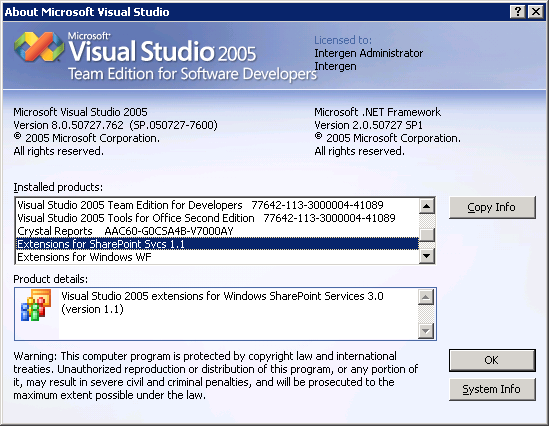
All you need to do is pull up the About Visual Studio screen.
So inside Visual Studio, Help > About Visual Studio
Scroll through the installed components list until you find the Extensions for SharePoint Svcs entry
The key thing to note here is that VSeWSS 1.0 displays no version number while 1.1 does:

 Gav's Blog - Tech Adventures
thanks a lot